ClickZoom records your screen and automatically adds smooth zoom animations to every mouse click. Product demos, tutorials, walkthroughs — done in minutes, not hours.
Free version is fully functional — exports with a small watermark. That's the only difference.
Don't just take our word for it. Actually, you probably shouldn't take theirs either.
"I'm too old for this computer stuff but please buy this program. I'm tired of supporting him financially. He's 64. This has been going on for 45 years. I need a break."
"Dad said I have to write a review or no WiFi for a week. ClickZoom is the greatest invention in all of human history. Can I have WiFi back now?"
"I was paying €75 for the other tool. Then I found ClickZoom at €8.50 and had to sit down and question every financial decision I've ever made."
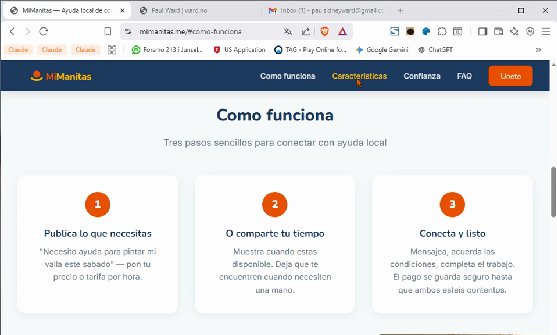
Hit record, use your app, stop when you're done. Every mouse click you made? ClickZoom remembers exactly where it happened, and adds smooth, professional zoom animations to each one.
No keyframing. No manual editing. No video editing degree required. Your raw screen recording goes in looking amateur. It comes out looking like you hired someone.
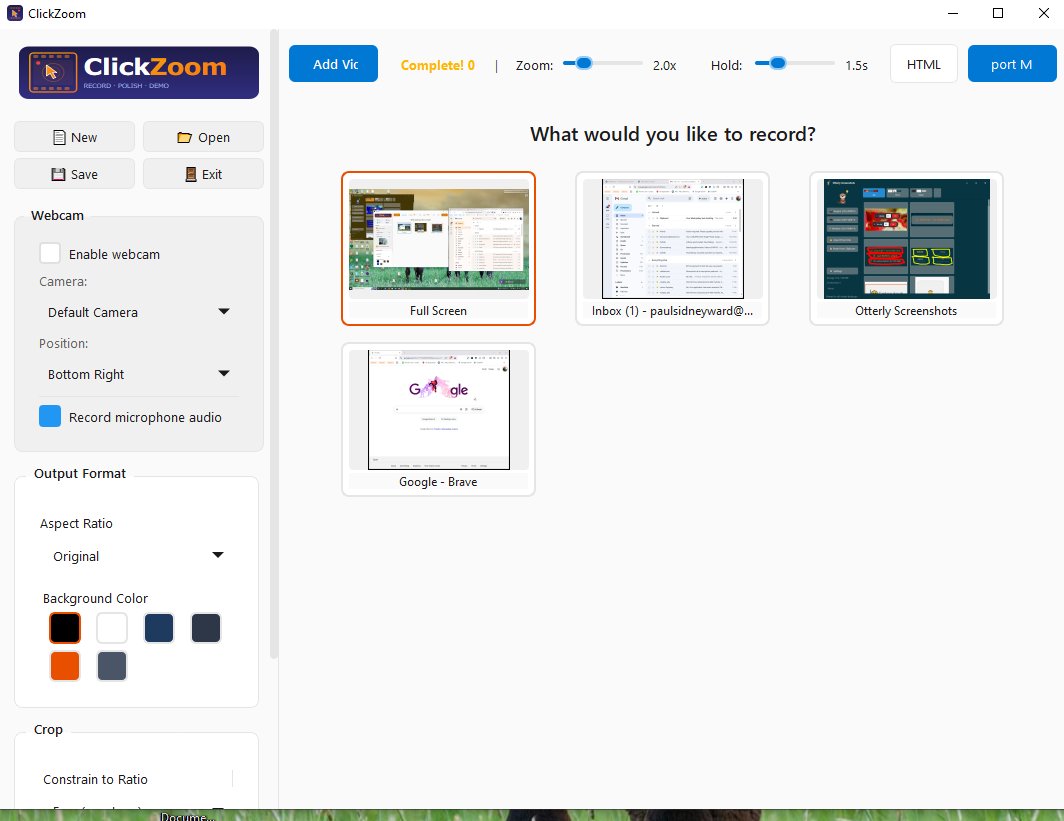
Pick a monitor, a window, or your entire screen. Add your webcam and mic if you want. Press record. Done.
Every click appears on a visual timeline. Adjust zoom levels, add text labels, trim the start and end. Or just leave it — the defaults are good.
Hit export. Get a polished MP4 with smooth zoom animations, or an interactive HTML walkthrough your users can click through themselves.
ClickZoom is a full screen recorder with webcam, audio, timeline editing, and a trick up its sleeve.
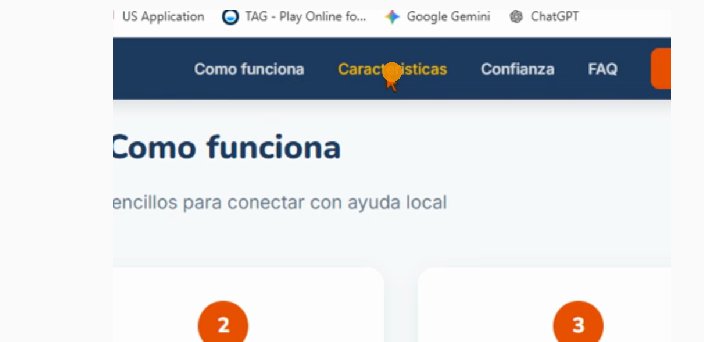
The headline feature. Every mouse click gets a smooth, cubic-eased zoom animation. Configurable per-click — set zoom level from 1.5x to 4x, hold duration, and more. Your viewers never miss what you're showing them.
Show your face alongside your screen with a live webcam overlay. Preview it in real-time before you start recording.
Record voice narration alongside your screen. Captured as AAC and muxed into the final MP4 automatically.
Multiple screens? Pick the one you want. Or record a specific window. The source picker shows live thumbnails so you always know what you're getting.
Visual timeline with all your zoom points. Drag to reposition, delete the ones you don't want, add new ones manually. Trim start and end points. Full control, zero complexity.
Already have a recording? Import it. Append or prepend clips from different sessions. Different aspect ratios are letterboxed automatically. Build complete walkthroughs from pieces.
Add text callouts to any click point. Drop in emoji to draw attention or add personality. Your demos don't have to be boring.
Not just video — export step-by-step HTML walkthroughs. Your users click through at their own pace. Perfect for documentation and onboarding.
Pause mid-recording. Grab coffee, collect your thoughts, rearrange your desktop. Resume when ready. No splicing required.
Your cursor is drawn right onto the video frames. Each click gets a subtle ripple animation so viewers always know where to look.
Clean, modern interface. No 47-button toolbar. No preferences maze. Record, edit, export — everything is exactly where you think it is.
Working files are saved as MKV which survives interruptions. Your recording is safe even if your cat walks on the keyboard.
Clean interface. Zero clutter. Real screenshots, not mockups.


We built the same core feature as tools charging 10x more, then added things they haven't.
* Based on comparable auto-zoom screen recorders at time of launch.
The free version is the full app. The only difference is a small watermark on export. Test everything first — we'll earn your money.
It's €8.50. Not €8.99. Not €9.99. Not €8.49 with an asterisk.
Just eight euros and fifty cents. A round, honest number.
We're not going to pretend €9.99 isn't basically ten euros.
You're smart. We respect that. Here's a normal price.